Role: Full Stack Developer
Company: Supervise.work (Workforce compliance & onboarding automation)
Goal: Enable employers to maintain real-time workforce compliance, reduce manual admin, and automate end-to-end onboarding/document workflows.
The challenge
Supervise.work’s product promise hinges on accuracy, automation, and auditability:
Centralize scattered worker documents (IDs, certifications, training proofs).
Keep compliance continuously “green” through automated checks + expiry tracking.
Reduce admin by automating onboarding, signatures, document requests, and reminders.
Support companies with rotating staff, varying job roles, and strict regulatory obligations.
To deliver this, the system must reliably ingest/user-upload documents, validate them, classify them, and alert managers of compliance risks—without creating noise or workflow bottlenecks.
What I did
I worked across ingestion, automation, frontend UX, and backend reliability to strengthen the entire lifecycle from document upload → classification → validation → compliance dashboards → automated actions.
1) Strengthened document ingestion & standardization
Built and maintained the ingestion flow for files from multiple channels: uploads, mobile capture, email dropboxes, and third-party integrations.
Normalized document metadata into a unified schema (type, owner, expiry, issuer, verification status).
Implemented idempotency to prevent duplicate records from repeated uploads or retries.
Improved robustness with retry/backoff logic, antivirus scanning, and invalid-file quarantine.
Outcome: higher success rate in ingestion, reduced manual cleanup, and consistent document representations across the system.
2) Automated document classification, validation & compliance checks
Integrated classification rules + pattern-based extraction for key fields (expiry dates, ID numbers, certifications).
Added verification states (pending → validated → expired → rejected) to support workflows and automated reminders.
Implemented dynamic compliance rules based on job role (e.g., some roles require 3 docs, others 6).
Created “explainability” for compliance status so employers know why a worker is non-compliant.
Outcome: fewer manual checks, higher accuracy in compliance scoring, and improved trust in the system.
3) Reduced noise and improved reliability of notifications
Built an asynchronous workflow engine for reminders, expiry alerts, and onboarding steps.
Rate-limited notifications per user/company and added deduplication (no more repeated “your document expires soon” messages).
Optimized relational queries (indexes, partitioning by company, materialized views for heavy dashboards).
Instrumented the pipeline with metrics: processing lag, reminder success rate, document throughput, error counts.
Outcome: predictable automation, fewer false positives, and consistently on-time compliance alerts.
4) Improved onboarding & compliance UX to increase completion rates
Designed unified flows for onboarding tasks, document uploads, signatures, and role-specific requirements.
Added progress indicators and contextual explanations to reduce confusion for workers.
Implemented optimistic UI updates and reduced bundle size for much faster mobile performance.
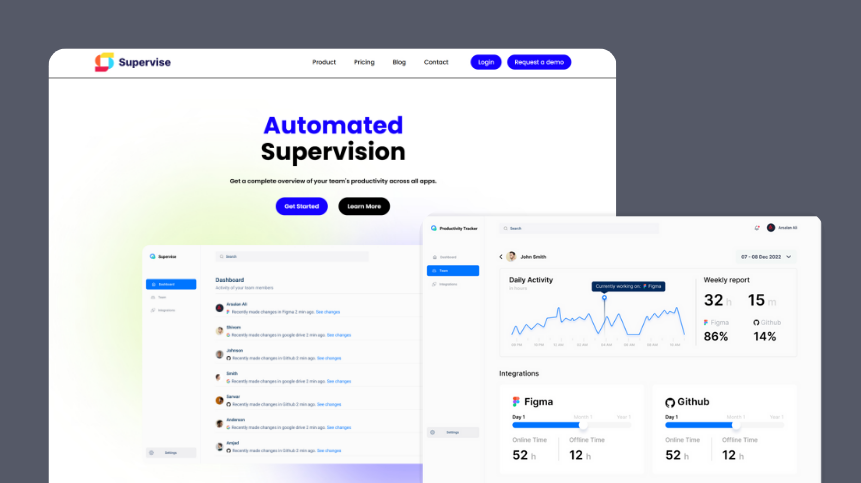
Consolidated compliance dashboards so managers can see issues across teams at a glance.
Outcome: higher onboarding completion rates and faster time-to-compliant worker status.
5) Built automation features that removed repetitive admin work
Implemented templated document requests and message presets.
Added rule-based triggers:
When a document expires → notify worker + manager
When onboarding is complete → auto-approve worker
When mandatory info is missing → schedule reminders
Added audit trails and access controls to maintain trust and regulatory compliance.
Outcome: reduced admin workload and ensured no worker became non-compliant without visibility.
Tech stack
Frontend: React + TypeScript (Next.js), custom component library
Backend: Node.js (NestJS)
Database: PostgreSQL
Infra: Docker, CI/CD via GitHub Actions
Other: Document processing utilities, background worker queues, role-based access control
Results
Significantly reduced manual admin through automated document validation and notifications.
Higher document ingestion success rate and fewer duplicates.
Increased onboarding completion speed and compliance visibility.
Improved system reliability with clear dashboards and alerting around pipeline health.
Delivered a smoother UX that helped both workers and managers get to “fully compliant” faster.